
TRY TAXIFLOW
Try a booking.
From customer to driver.
Use your phone for the driver app, and preferably a computer for booking and dispatch. Follow one test booking all the way through.
See what this demo includes
01 / DRIVER APP
Get the driver ready.
Download TaxiFlow Driver and sign in with these demo details.


- Company code
TFDAHLSS- Demo phone
+46701740635- Sign-in code (OTP)
123456
Switch to Online in the app and keep it open.
Next: book a test trip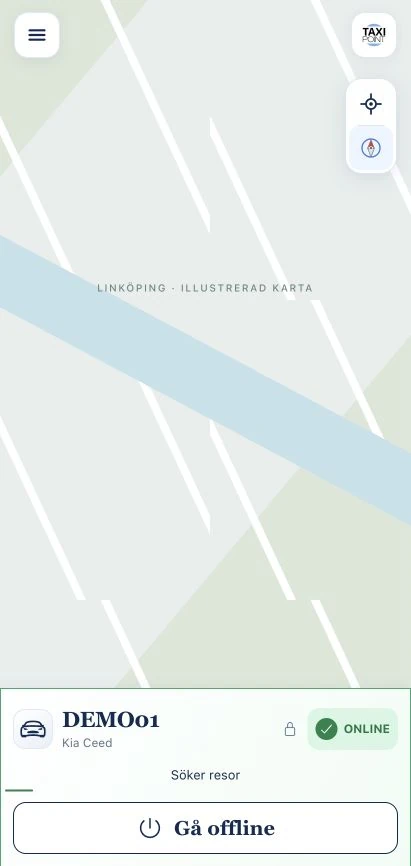
Switch to Online after signing in.
Searching for ridesKeep the app open for your test booking.
Current Swedish interface with sample data and an illustrative map. The demo may look different.
Scan with your phone to download


Driver app included in TaxiFlow
02–03 / BOOK AND DISPATCH
One booking. Two perspectives.
Book as a customer. Then switch to the dashboard and assign the same job to the demo driver.
Book your test trip
Choose a pickup and destination, use fictional details and keep the booking number. Leave the driver app online.
Shared demo · No taxi service is ordered. Use fictional details because other visitors can see test bookings.
This shared demo currently shows booking to one destination, without payment choices or a payment flow. Read about multiple stops and payment on the product page. Payment options are enabled per company.
Booking submitted? Keep the booking number handy.
Next: dispatch in the dashboard →Find the booking and assign the job
Sign in below. Find your booking number under Bookings and select the demo driver. If the job is already in the app, continue to step 04.
admin@taxiflow.io- Password
Demo123!
The same demo company as the driver app and booking form. On mobile, the dashboard is easier to use in a separate window.
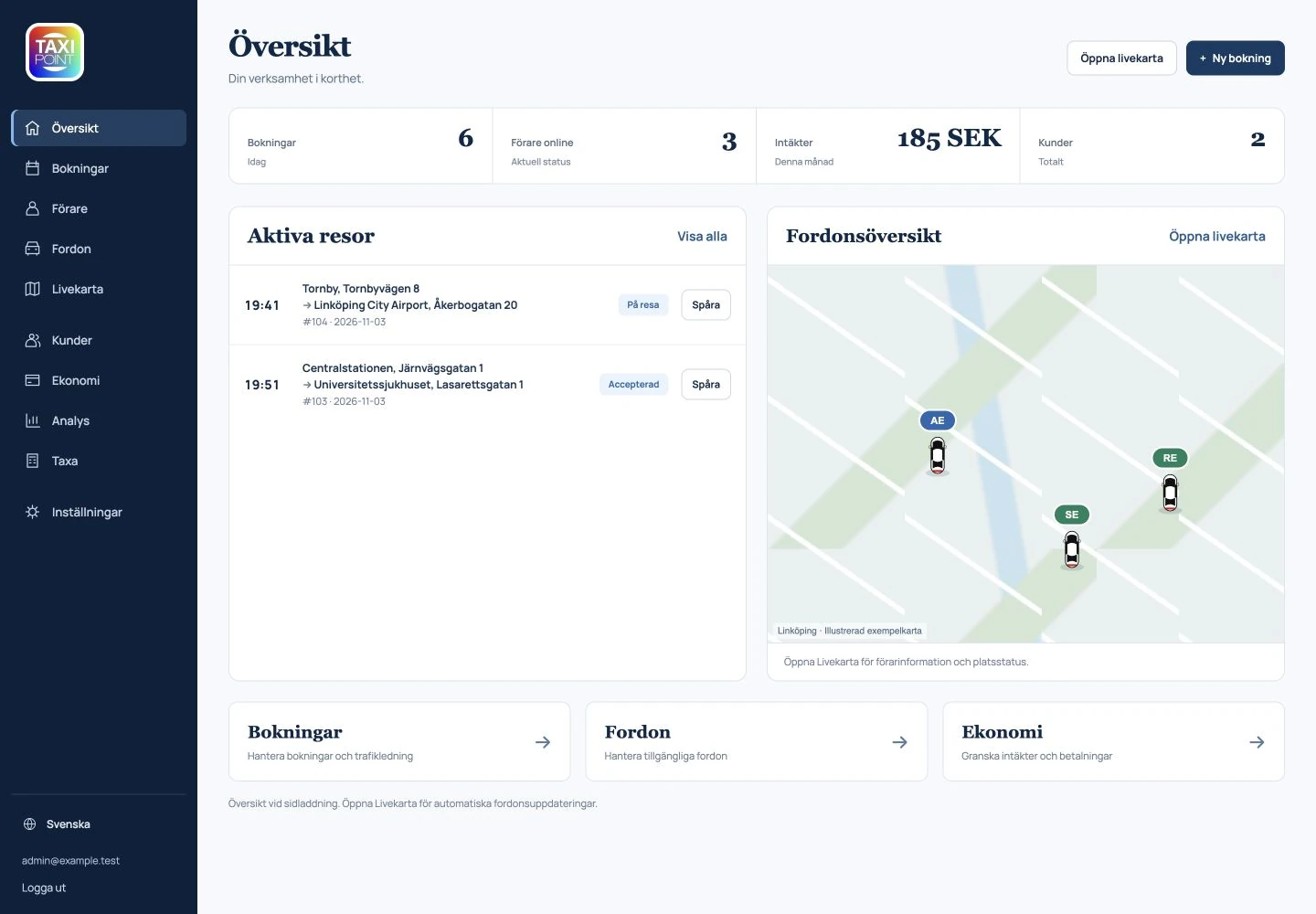
Use the demo details above.
Current Swedish interface with sample data and an illustrative map. The demo may look different.
Job assigned? Continue on your phone.
Next: accept in the app →04 / BACK IN THE DRIVER APP
Receive. Accept. Follow the trip.
Continue with the same test booking on your phone.
- 1
Receive the job
Keep the driver app online. Check the assignment in the dashboard if nothing appears.
- 2
Accept and update
Accept the job and try the trip status steps in the app. Follow the updates in the dashboard.
- 3
Finish your test
Complete or cancel your own test booking when you are done.
OPTIONAL EXTRA / CUSTOMER APP
Try the
customer app too.
Let customers book from their phones. Download the TaxiFlow customer app and explore the trip from the customer’s side.
A customer app branded for your company costs €45/month per company, regardless of vehicle count, with €1,050 one-time setup. It is outside the core system and free trial. You do not need it to try the booking workflow above.
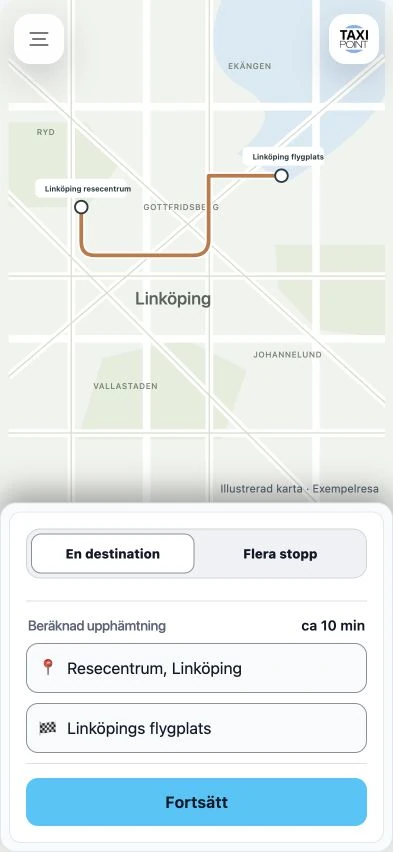
Start with pickup and destination in the app.
Next: see the fareContinue to see the fare before booking.
Current Swedish interface with sample data and an illustrative map. The demo may look different.
Scan with your phone to download


YOUR NEXT STEP
Try it in your own
taxi operation.
We get your system ready and show you how it works.
Try it for 30 days, then choose whether to continue.
No automatic paid subscription.